 Best all-in-one solution for video converter, DVD tools, iPod Tools


MOV to WMV Converter
You have a digital camera that saves videos as MOV format files, and you want to make the MOV files play in Windows Movie Maker. Then you need a MOV to WMV converter to make your dream come true. WinAVI All-In-One Converter is also a MOV to WMV converter that can convert MOV to WMV files with excellent video output quality and fast conversion speed. Here please follow the steps to convert MOV files to WMV with this kind video converter.
Step1: Free download WinAVI MOV to WMV Converter - WinAVI All-In-One Converter and then install and start.
Step2: Add video.
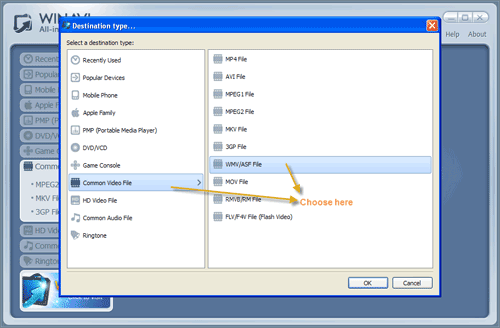
Click  button to upload MOV file from your computer or directly drag the into the program directly. Then you choose "Common Video File" and then select " WMV File" on the pop-up window.
Step3: Customize output.
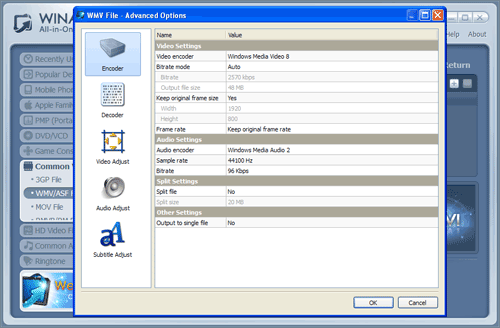
Click  to customize WMV video output.
Step4: Start to Convert MOV to WMV.
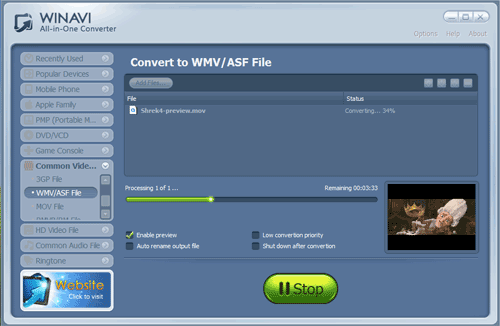
Click  to start MOV to WMV conversion.
Attention: Please note that the free version has a transparent company logo in the background. The watermark will disappear after buying. You can ignore it and keep going on. Here is a registered version.