 Best all-in-one solution for video converter, DVD tools, iPod Tools


How to Convert YouTube to FLV
WinAVI Youtube Download is a FREE YouTube to FLV Converter, it can Convert YouTube to FLV.
It'll embed in your web browser, and you only need one click to Convert video from YouTube, Myspace, Yahoo Video, Youtube Video... to FLV.Enjoy your favorite videos downloading now.
Step 1:
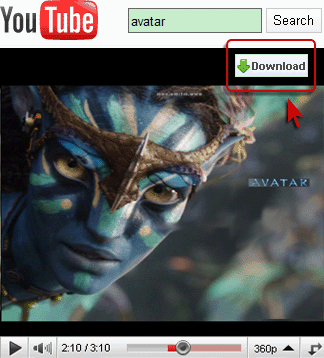
Please download and install WinAVI Youtube Download first, then you will see DOWNLOAD button on the playing video, directly click it to start download videos you want .
Step 2:
Output directory: All you have to do is to click the "Browse" button to select a folder in which to store your output files, or just enter the directory into the blank.
Step 3:
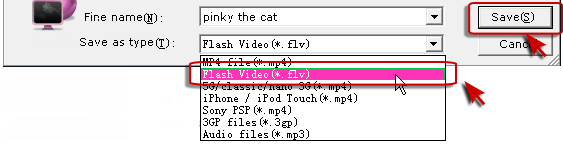
You can ripper videos to other format you want such as MP4/PSP/iPod/iPhone/3GP/MP3/3G during downloading.
Select one format, then click "save" to start downloading and ripper.
Step 4:
After download complete, you can click "Open Folder" directly go to the folder that you save download videos, You can Convert YouTube to FLV videos now!