 Best all-in-one solution for video converter, DVD tools, iPod Tools


How to rip DVD to MP4 video format
For protected DVD's, you can rip DVD to MP4 video format to backup your DVD for playing most popular devices in MP4 format. WinAVI DVD Ripper is this kind of program to make you easy rip DVD to MP4 format. Just several steps to finish this DVD to MP4 conversion. Please learn from the following steps.
Step 1: Free download WinAVI DVD Ripper, Install this program.
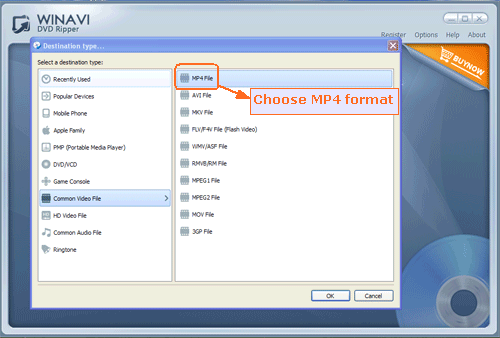
Step 2: Insert your DVD disc, then launch DVD ripper program and load this DVD files by clicking "Convert from DVD Drive" button to load DVD files. After that, we choose "MP4" format on the pop up small window.
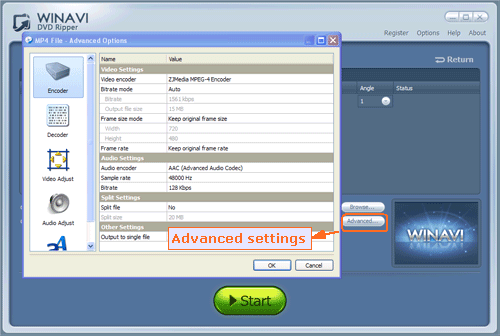
Step 3: Click "Advanced " option to customize MP4 format of output.
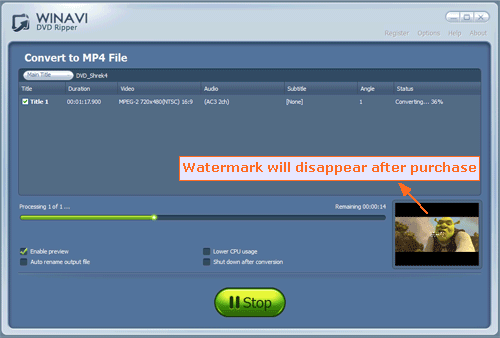
Step 4: Click the green button "Start" to rip DVD to MP4 format. After conversion is complete, you can check the converted MP4 file via clicking "Open the output directory".